Keep your Crystal Reports when the system underneath them changes
With CRGenerator-Cloud from Zwernemann Medienentwicklung
Run reports server side, generate them automatically, and let the application that owns the data stay in charge.
The report outlives the system it was built for
Crystal Reports have grown up inside a lot of companies. They produce certificates, inspection reports, technical documentation and other documents the business genuinely depends on. Meanwhile the systems that feed them keep changing. Applications get modernized, databases get replaced, processes move into cloud platforms.
That is where CRGenerator-Cloud comes in.
The existing report definition stays. The report engine is integrated into the new system landscape and produces the documents from whatever data the application now holds.
When the system changes, the report does not have to be rebuilt
A Crystal Report is a good deal more than a layout. In many reports a significant part of the business logic sits inside the file itself. Formulas calculate values, groupings structure the data, subreports assemble complex documents. Often the report is a step in the process rather than a by-product of it.
Modernizing an application creates a familiar problem. The old data source is gone. The new application uses different tables and different structures. The report no longer works technically, even though its logic is still exactly what the business needs.
The usual answer is to rebuild it. That means implementing the formulas, the layout and the report logic a second time, then proving line by line that the output still matches the original.
CRGenerator-Cloud takes the other route. The existing Crystal Report is kept, and the new application supplies the data.
A report engine for your system landscape
CRGenerator-Cloud is not tied to one platform.
The engine can be integrated into applications and processes around Salesforce, SAP, Microsoft Dynamics or your own in-house software. It works just as well with web applications, ERP systems and API based architectures.
The system you already have stays in charge. It owns the data and drives the business process. CRGenerator-Cloud takes care of rendering the report on the server.
In other words, the report engine becomes a technical component of the landscape you already run, not another platform to look after.
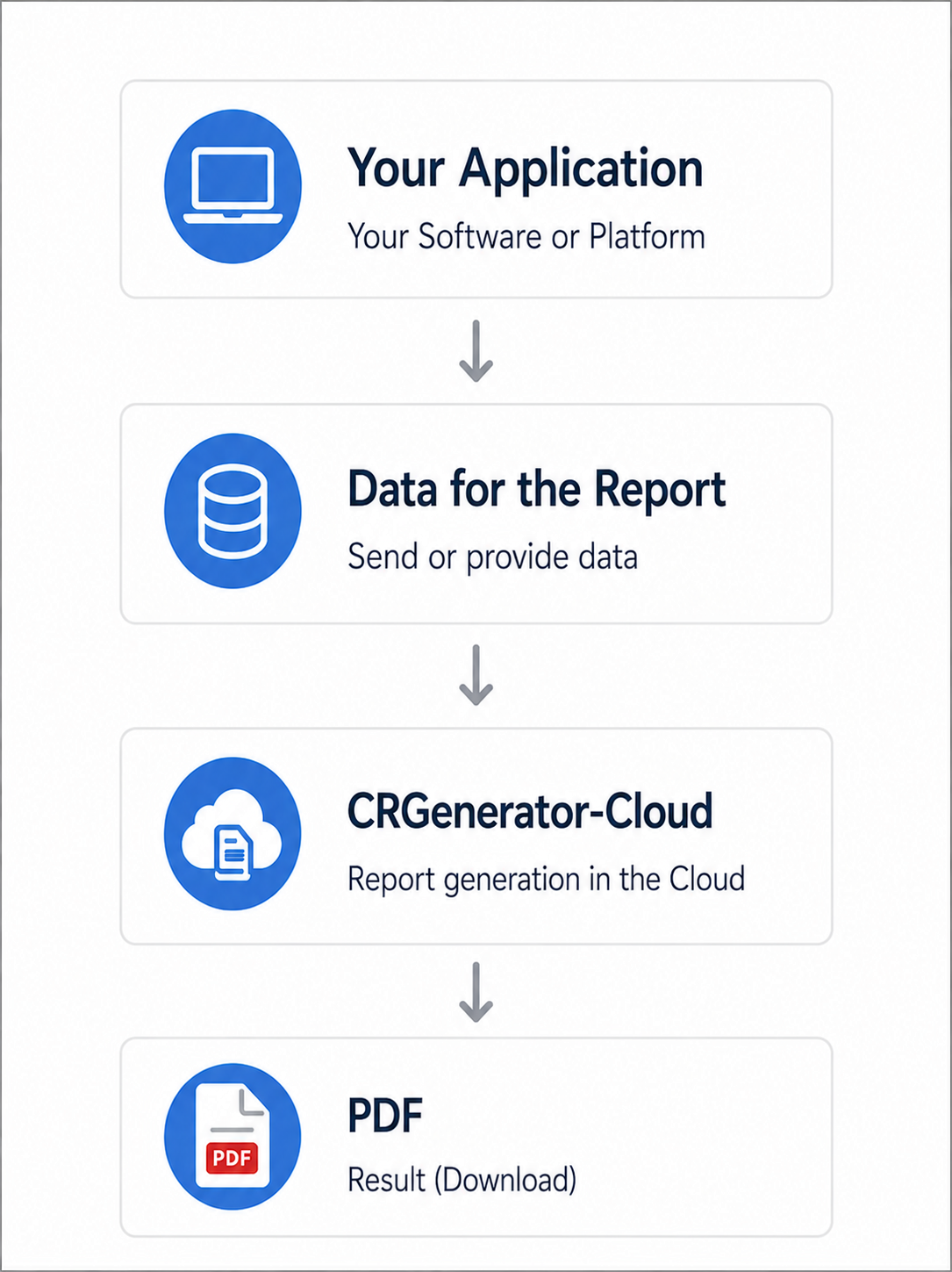
Built for applications, not as another reporting portal
CRGenerator-Cloud is not a separate application that users have to switch into to get a document. There is no second front end running alongside your ERP, your CRM or your web application.
The document is created inside the process that is already happening.
An order is completed and the certificate is generated.
An inspection is released and the test report appears.
A customer portal requests a document and gets the PDF back.
Your application stays the place people work in. CRGenerator-Cloud does its job in the background.
For modern server and cloud architectures
Node.js fits into most current operating models without special handling. CRGenerator-Cloud can run as a service in an existing server environment, and it works equally well in container platforms and cloud infrastructure. That includes:
- AWS
- Microsoft Azure
- Google Cloud
- your own data center
- container environments
- classic servers
The architecture stays independent of whichever application asks for the report.

The data source is no longer a single system
A report that has been around for a while was probably wired straight into one database. In a modern architecture, the same information is likely to come from several places at once.
Part of it from an ERP system. Part of it from a CRM. The rest delivered through an API.
What matters to CRGenerator-Cloud is which data the report receives, not which syste
m it originally came from. That is what allows the engine to be used in landscapes where information is assembled from more than one application.
Documents that generate themselves
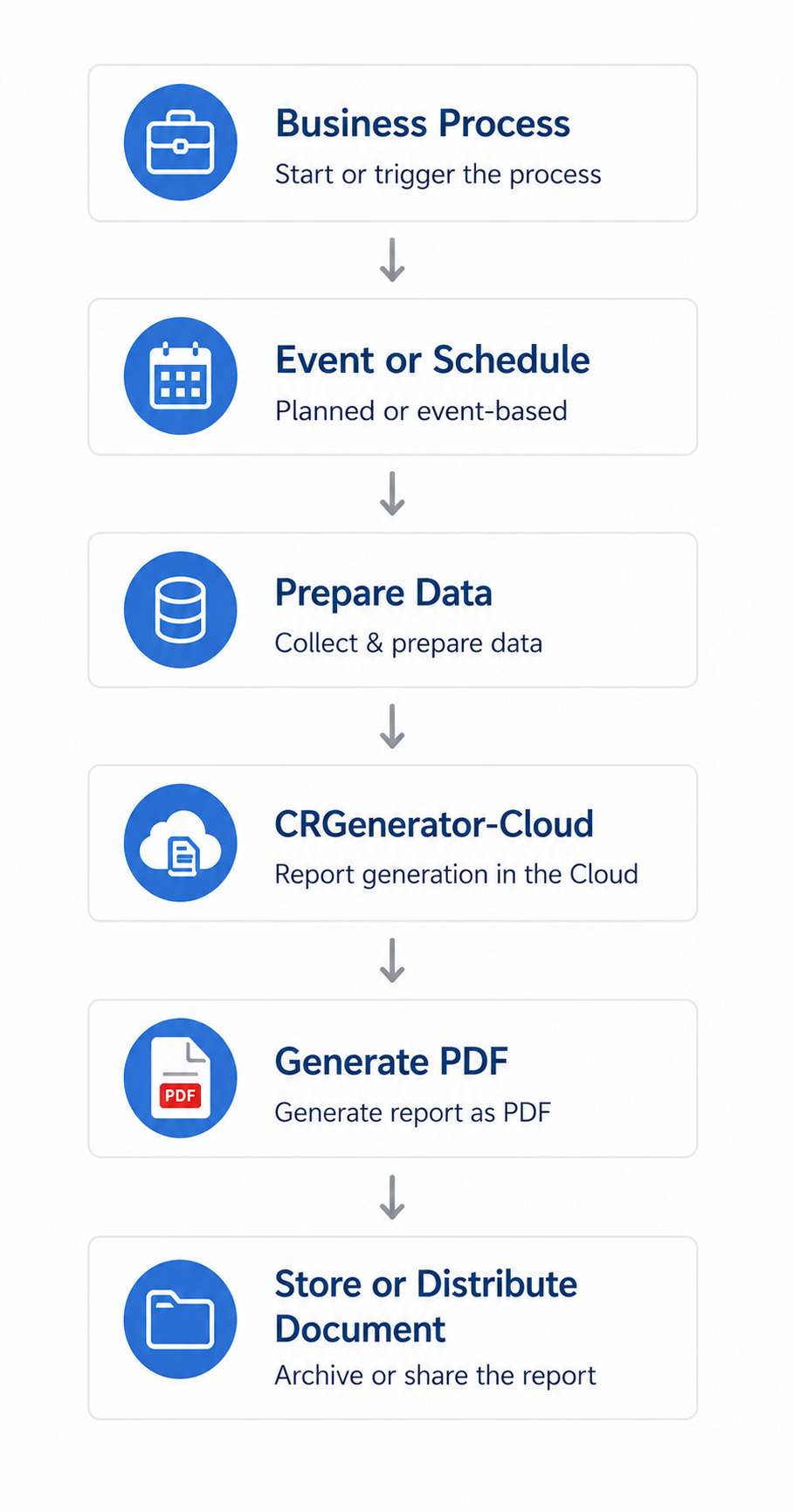
Many business documents are not produced by somebody pressing a button. They are simply needed, at a certain point, every time.
- An order reaches a particular status.
- An inspection is completed.
- A serial number is issued.
- A scheduled job produces a large batch of documents at once.
CRGenerator-Cloud can be built into processes like these. No browser session has to be open. The report is generated on the server.
Real Crystal Reports, processed as they are
CRGenerator-Cloud works with your existing .rpt files directly. A Crystal Reports file is not a simple XML document. It holds the complete report definition in a binary format with several different structures and storage areas inside it.
CRGenerator-Cloud reads and interprets that definition, including:
- data sources
- tables and fields
- formulas
- groupings
- totals
- subreports
- parameters
- formatting
- page layouts
Formulas stay part of the report
In many Crystal Reports a substantial share of the business logic lives in the formulas. Calculations, conditions, output rules.
CRGenerator-Cloud executes those formulas directly, in both Crystal syntax and Basic syntax. They are not run through eval or any comparable dynamic JavaScript execution. They are interpreted and evaluated as a syntax structure of their own, which matters as soon as the engine has to run inside an environment with a strict security policy.
Where it is used
Industrial and mechanical engineering
Inspection certificates, technical documentation and production related reports.
Calibration and metrology
Calibration certificates with measured values, calculations and large tables.
Quality assurance
Test reports and quality documentation generated automatically once a process is complete.
Laboratories
Lab reports and analysis protocols with measurement series and evaluations.
ERP and inventory management
Business documents produced straight out of automated processes.
Customer portals and web applications
Documents requested by an application and returned immediately as a PDF.

Your cloud or ours
CRGenerator-Cloud is not tied to one operating model. The render service can be run centrally as a service, or you can run the cloud component inside your own infrastructure. Which one fits depends on how your company prefers to work, not on the product.
Operated by Zwernemann Medienentwicklung
If you would rather not run infrastructure for document generation, CRGenerator-Cloud can be provided as a central service. The technical infrastructure and the operation of the render service are handled for you. Your application talks to the service over a secured connection, the report is generated, and the result comes back.
This model suits companies that want automated document generation running quickly and do not want to take on the infrastructure themselves.
Operated in your own cloud
Alternatively, CRGenerator-Cloud runs in your own cloud. The render service can be set up in your own AWS account with AWS Lambda, for example:
Ihre Salesforce-Organisation
 ↓
Ihre AWS-Umgebung
 ↓
AWS Lambda
 ↓
CRGenerator-Cloud
 ↓
PDF
 ↓
Ihre Salesforce-Organisation
The infrastructure stays entirely under your control. You decide on:
- the cloud account
- the cloud region
- access rights
- security requirements
- logging
- monitoring
- operation of the infrastructure
That makes it straightforward to fit document generation into cloud and security concepts you have already agreed internally.
Help with the setup
Running it in your own cloud does not mean building the whole thing yourself. Zwernemann Medienentwicklung can support the setup and the integration, for example with:
Zwernemann Medienentwicklung kann bei der Einrichtung und Integration unterstützen. Die Unterstützung kann beispielsweise umfassen:
- setting up the AWS Lambda environment
- providing the CRGenerator-Cloud components
- configuring the required AWS resources
- establishing the connection to Salesforce
- configuring authentication and permissions
- the Salesforce side of the integration
- integration into Flow or Apex
- testing report generation
- support with updates
You keep control of the infrastructure and still have someone alongside you for the technical work.
Frequently asked questions
A server side report engine that executes existing Crystal Reports files and returns PDFs. Your application supplies the data and stays in control of the process.
No. Salesforce is a common case, but the engine is integrated through an interface and works with any application that can supply data and receive a PDF.
ERP and CRM systems, in-house applications, web applications, customer portals and API based architectures. Salesforce, SAP and Microsoft Dynamics are typical examples.
A reporting platform is a destination. Users log into it, run reports there and manage a second set of permissions. CRGenerator-Cloud has no front end of its own. It is a component your existing application calls when a document is needed.
Because it fits the environments companies already run. A Node.js service can be deployed on a server, in a container, or as a serverless function without dragging in a separate application stack.
No. There is no Java application server and no servlet container involved.
Yes. You can run it in your own account and region, under your own access and logging rules. Setup support is available if you want it.
Yes. It can be triggered by a status change, the completion of an inspection, a scheduled job or any other event in your process.
No. Generation happens server side and does not depend on anyone having a browser open.
No. The .rpt file stays the report definition. What changes is where the data comes from.
Yes, in their binary form, including formulas, groupings, subreports, parameters, formatting and page layouts.
Yes, in Crystal syntax and Basic syntax. They are interpreted as a syntax structure rather than executed as dynamically generated JavaScript.
Yes. Subreports live inside the same .rpt file and are read by the same engine as the main report.
Nothing has to happen to the report. The engine cares about the data it receives, not where it was stored before, so a database replacement or a move to a new application does not invalidate the report definition.
Yes. Data can be assembled from more than one system before the report is rendered.
Yes. Batch generation is a normal case, and the service can be scaled for it in the environment you run it in.
PDF. Other export formats are looked at case by case.
Send us the .rpt files. That is enough for a technical analysis, and you get back an assessment of what the takeover involves before anything is committed.